
If you are not using a VoIP 911 solution provider, you can find additional details on Voip-info.org. A partial list of providers includes:
- 911Broadcast - provides emergency 911 calling systems and services.
- 911Enable - provides E911 VoIP service at a low cost.
- 911ETC - fully managed E911 service for VoIP.
- Bulk911 - E911 provisioning with simple upfront billing. Rates start at $0.72 per TN per month, and no contract is required.
- Broadvox - wholesale VoIP services for domestic and international businesses. Their e911 service supports text-to-911 and provisioning for on-net and off-net phone numbers.
- Emergency Broadcasting - Database Systems Corp. provides emergency notification systems using voice broadcasting and computer telephony technology.
- MultiAlert911 - E911 with Alerts - You do not have to stay with your current provider's prices. Switch to MultiAlert911 while still meeting your contract's minimum commit and get free credit for it. Provision DIDs from any provider. The service includes innovative alerts that instantly notify five other parties when the caller dials 911. Visit www.MultiAlert911.com.
- MultiTEL - provides a simple E911 provisioning API with programming samples and E911 connectivity. No contract is required.
- NexVortex - business-grade SIP trunking with e911, Directory Assistance, SIP termination, and conferencing.
- VOIP 911 Service Providers.
When a "911" call is made, it is normally routed to the nearest PSAP (Public Safety Answering Point), from where the call is connected to the local carrier exchange. For example, if you host a customer in Naples but interconnect with the carrier in Miami, the call may be routed to the Miami PSAP center instead of the correct local center. That can delay emergency services. Please also note that if you are the primary service provider for 911 calls, you may also face legal and financial risk if the call is routed to the wrong center and the delay causes injury or death.
Handling this scenario:
1. Open Customers - My Customers - Accounts and filter for the needed Account
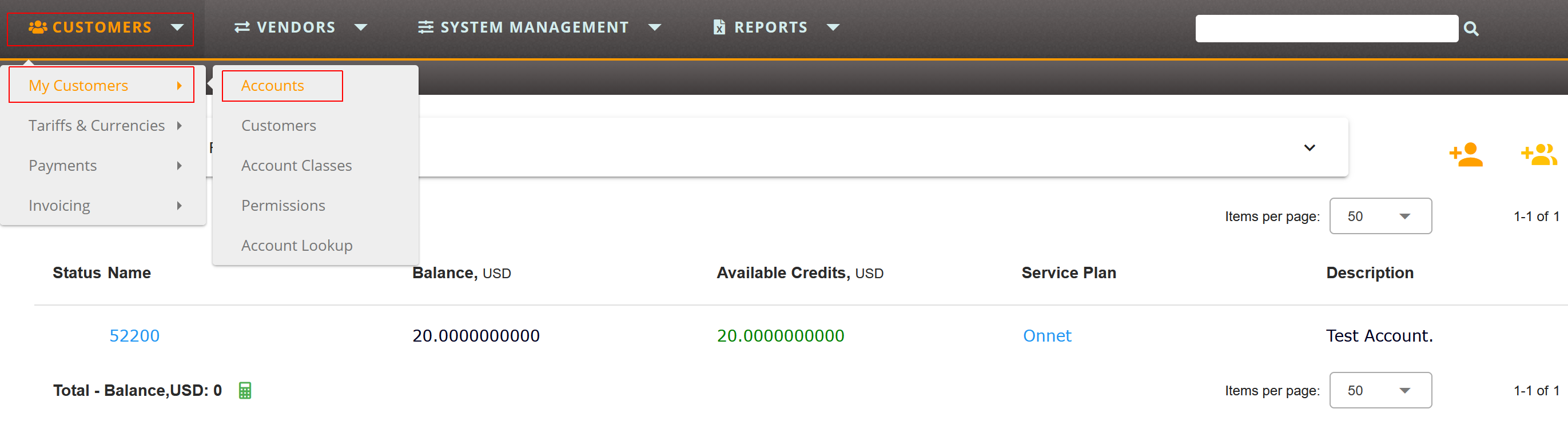
2. In Additional Options open Authentication Rules:
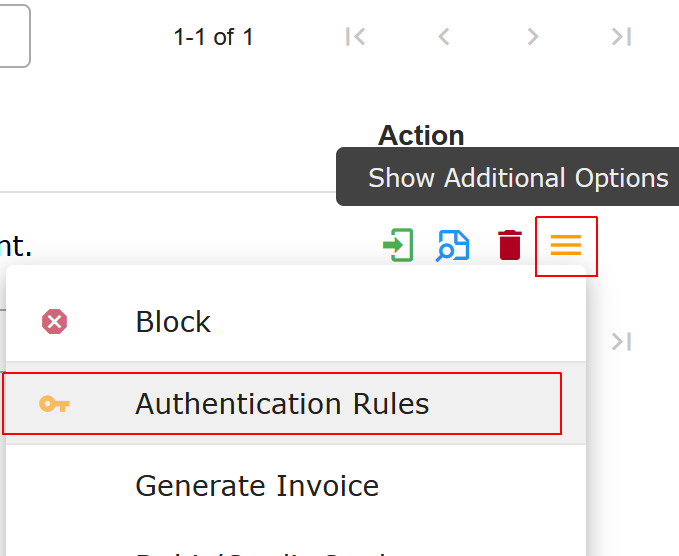
3. Add a new rule or edit the existing one:
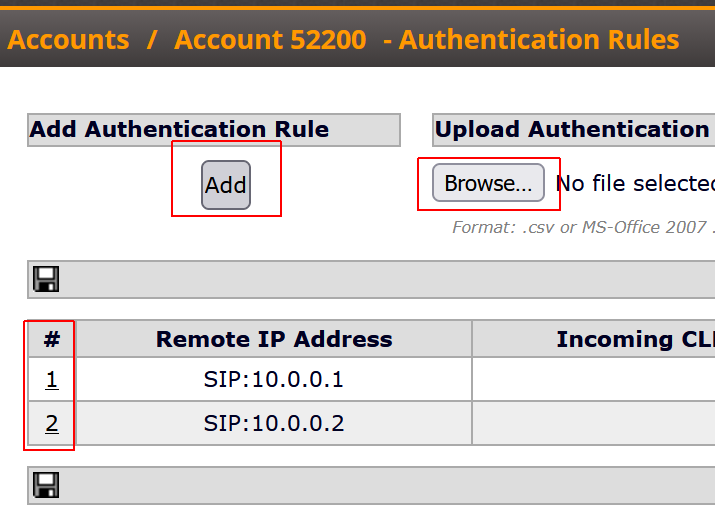
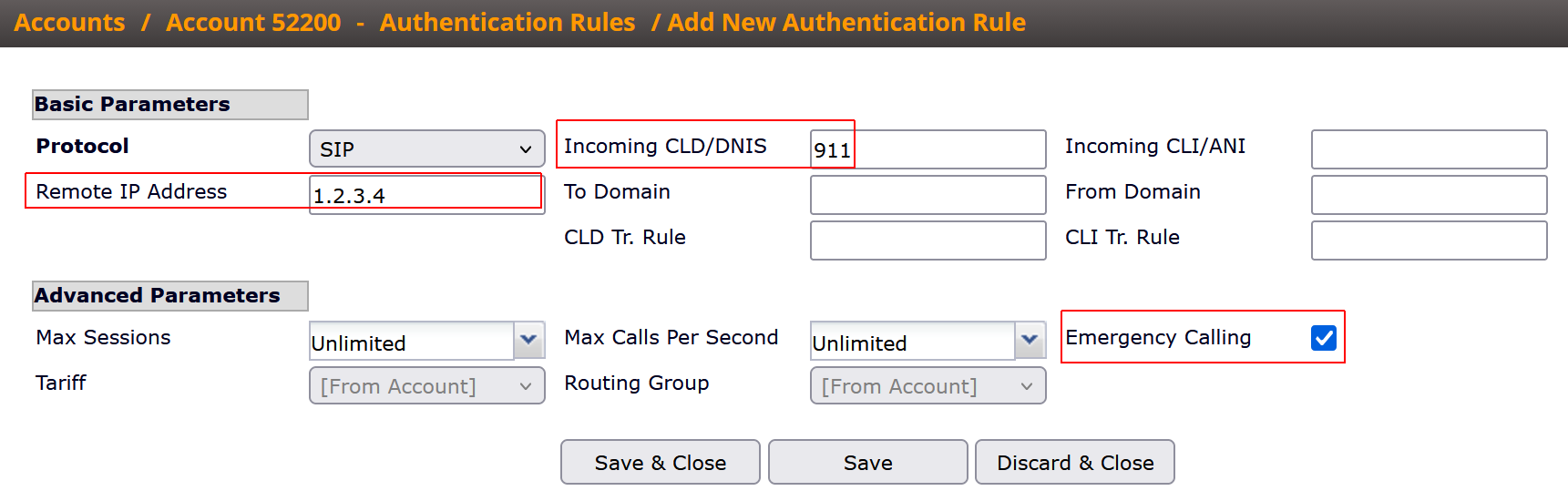
In the properties of an authentication rule, set "Incoming CLD/DNIS = 911" (as shown in the screenshot above) and add any other authentication parameters that make the rule more secure and prevent unauthorized calls to 911 through your account. You can also specify a "Remote IP Address" from which traffic will arrive at your Sippy Softswitch, an exact "Incoming CLI/ANI", or both.
NOTE: SippySoft highly recommends using a combination of authentication parameters for incoming traffic, for example "Incoming CLD/DNIS" and "Remote IP Address".
Emergency Calling
The Authentication Rule also includes the Emergency Calling option. When enabled, the rule is applied even if the Account is blocked, has insufficient balance, has no available Sessions/CPS according to the Account limits, is expired, or is blocked because of a billing failure. The checkbox is available since Sippy 2025.
If a static CLI should always be sent from the account to the emergency provider, you can specify the required number in the 'CLI Translation Rule' of your authentication rule. You can either set a fixed number or define a rule that replaces only specific CLIs, for example numbers that start with +570:
's/^[+]570/2222/'
Resulting number: 2222123456789
If the specific Tariff and/or Routing Group should be used to terminate such calls, specify them in Advanced Parameters.
More details about number translations are available in the following documentation:
https://support.sippysoft.com/solution/articles/77869-understanding-number-translation
Understanding Authentication: https://support.sippysoft.com/a/solutions/articles/77553