
- The new feature was added in order to add more flexibility to configuration of routing and authorization.
It allows to change the previously selected Tariff and Routing Group, that is especially useful for scenario with Digest Authentication or calls authenticated via DID.
It's also possible to rewrite CLI and CLD with corresponding Translation Rules on that stage.
Post Authentication rules are configured on per-account basis and accept the following incoming parameters:
- Remote IP
- CLI
- CLD
Call processing diagram:
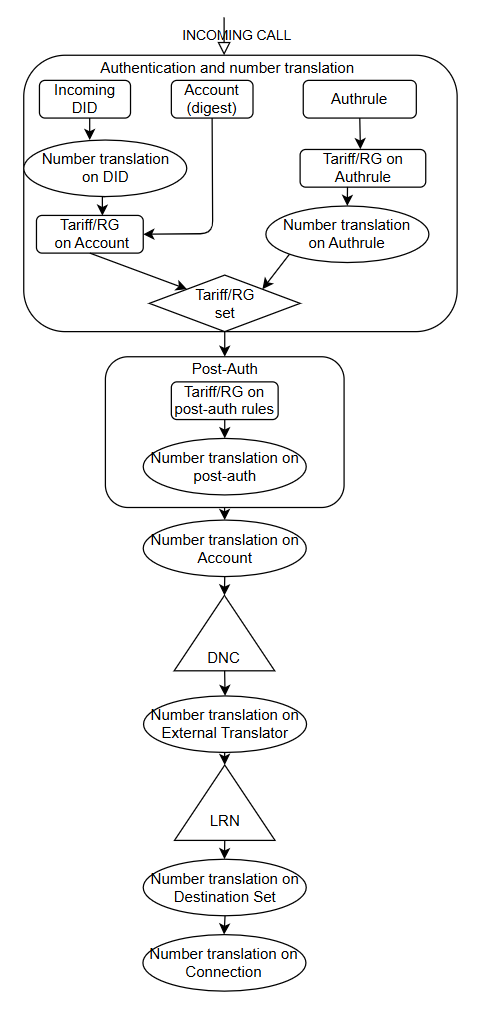
Based on schema above, one of the possible scenarios where Post Authentication is needed is when the call should be routed through non-default Routing Group. For example, call got authenticated with VoIP username + VoIP password, but based on Remote IP/Incoming CLI/Incoming CLD it's needed to change Tariff for this call and route it through another Routing Group.
To achieve it, add new Post Authentication Rule with Remote IP of call's originator, Incoming CLI and Incoming CLD and specify the desired Tariff and Routing Group, if needed add the CLI or CLD Translation Rules
Starting from Sippy2022 wildcard support was added for CLI and CLD
Following wildcard matchings are available to cli and cld to use regular expressions (since Sippy 2022)
'*' : matches any sequence of non-/ characters (e.g. 003*4: 0038943794, 003545664 ...)
'[range]' : matches a range of character.
e.g.1 [1-5] matches any number from list 1,2,3,4,5
e.g.2 [^p] matches a character other than p
'?' : matches any single non-/ character (e.g. 0?7834: 007834, 017834...)
'\' : matches character (e.g. \* is considered as character, not a wildcard)
More examples:
wildcard matching
abc?_[1-5][2]0* - matches abcd_1201234567, abcd_1203333333
question mark matching
abc?_[1-5][2]0* - matches abcd_1201234567, abce_1203333333 and does not match abcde_1201234567
number range matching
[1-5] matches any number from list 1,2,3,4,5
letters range matching
si[^p][a-zA-Z] matches siPp, siPP, sian, does not match sipp, sip1, siP1 etc.
Starting from Sippy 2025, Post Authentication Rules can be managed from the Web Interface.
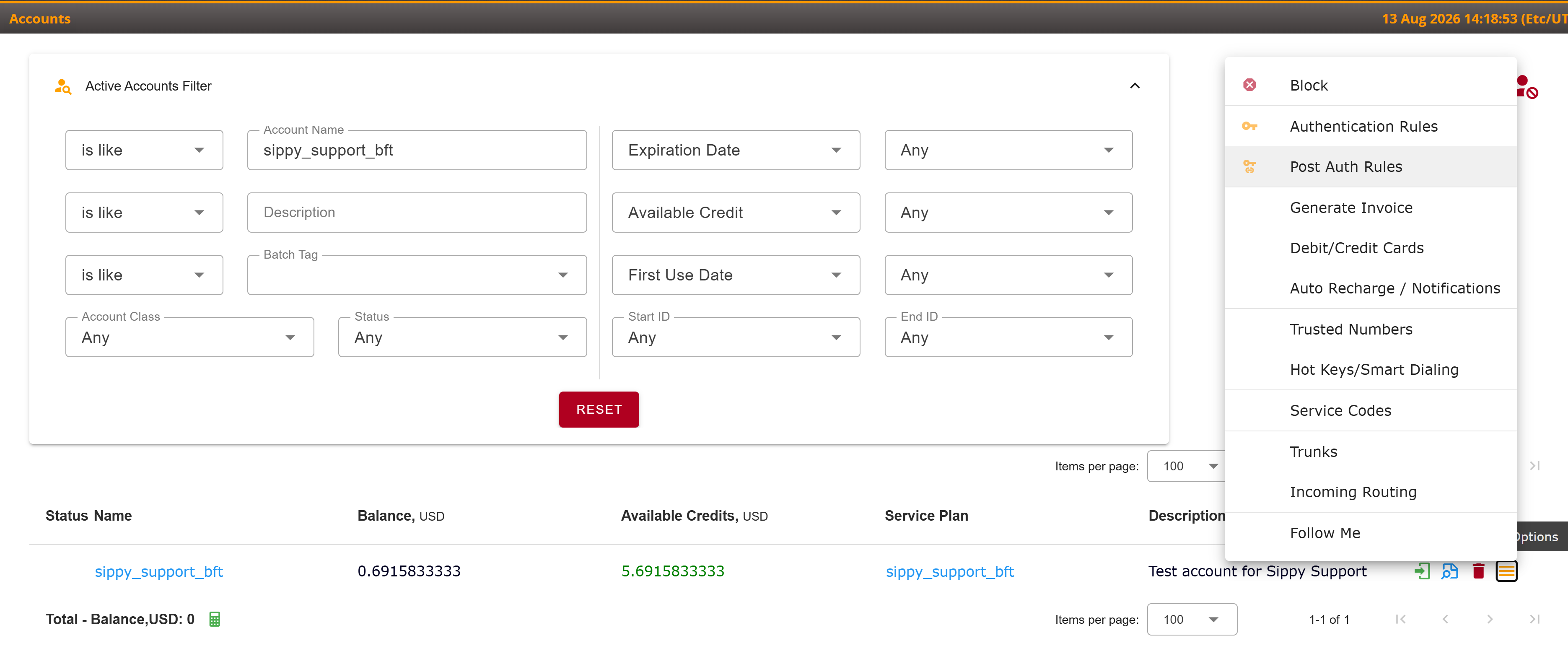
The Post Auth Rules page is available for each account under Accounts > Account > Post Auth Rules. It provides a convenient way to view, add, edit, and delete Post Authentication Rules without using XMLAPI.
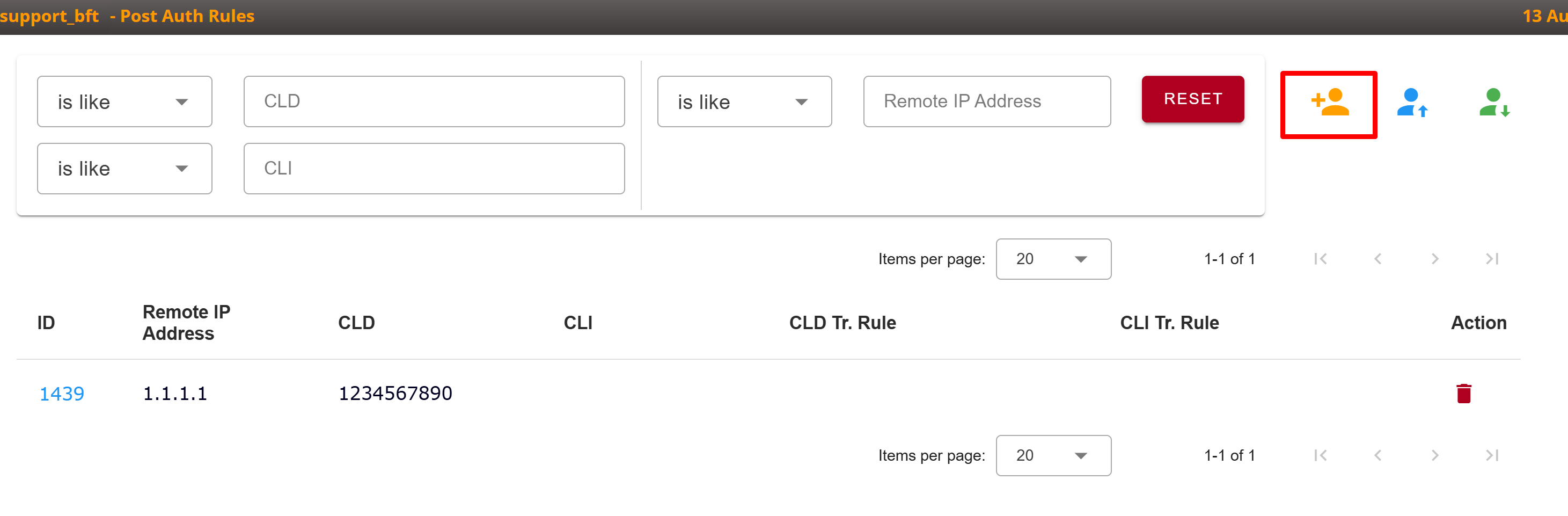
To add a rule, click Add and specify at least one matching parameter: Remote IP, CLI, or CLD. You can then optionally select a Tariff, Routing Group, and CLI or CLD Translation Rules to apply when the rule matches.
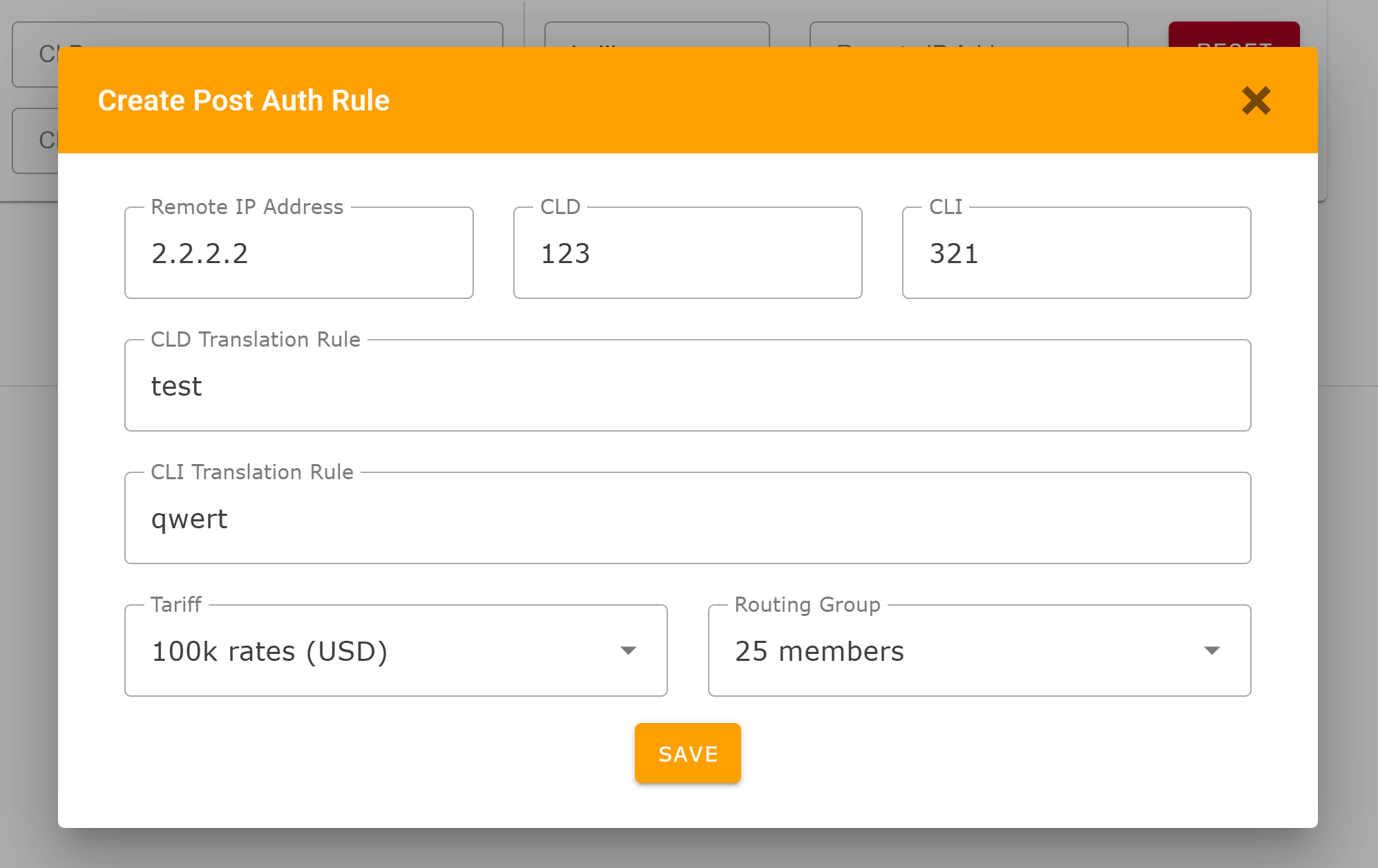
Rules are configured per account. The same combination of Remote IP, CLI, and CLD can be used in different accounts; however, the combination must be unique within a single account.
Existing rules can be edited or deleted from the same page. The page also supports importing and exporting rules for the selected account.
Additional Reading
- XMLAPI for Post Auth Rules
- Understanding Authentication - How to setup the authentication of the call
- Configuring your new Softswitch - Configuring Sippy to pass calls through Softswitch using Digest Authentication.